
If you’ve ever poked around your HVAC thermostat, you’ve probably spotted a small toggle labeled “Fan Mode” with two options: “Auto” and “On” (sometimes called “Continuous”). It looks like a minor setting — but the one you pick quietly shapes your energy bill, how evenly your home stays comfortable, and even the quality of the air you breathe. So which is right for your Southern California home? Here’s the short answer first, then the full breakdown.
Quick answer: For most Orange County homes, Auto is the more efficient, lower-cost choice. Continuous (“On”) mode is worth it when you’re chasing cleaner air, more even room-to-room temperatures, or relief from allergies — as long as you stay on top of filter changes. And if your thermostat has a third option called “Circulate,” that’s often the sweet spot. More on all of this below.
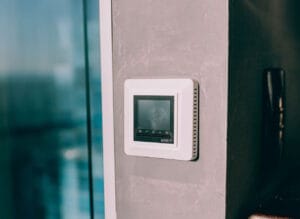
What Does “Fan Auto” Do?
In Auto mode, your system’s blower fan only runs when the air conditioner or furnace is actively cooling or heating. Once your thermostat reaches the temperature you set, the compressor and the fan shut off together, and the system rests until the next cycle begins.
This is the factory default on most thermostats, and for good reason: it uses the least amount of energy, since the fan isn’t running any longer than it has to. There’s also a benefit most homeowners never think about — dehumidification. When your AC cools, moisture from the air condenses on the cold evaporator coil. During the natural pause in Auto mode, that water drains safely out of your home. It’s a quiet perk that helps your house feel cooler at a higher thermostat setting.
What About “Fan On” or “Continuous” Mode?
In continuous mode, the blower fan runs 24/7, whether or not the system is heating or cooling. Air keeps moving through your ducts and rooms around the clock, even when the compressor is off and no conditioning is happening.
That may sound like overkill, but there are legitimate reasons some homeowners prefer it — especially during allergy season, in multi-story homes, or in houses where a few rooms never quite match what the thermostat says. The trade-off is that you’re paying to run that fan every hour of every day, which is where the pros and cons come in.
Auto vs. On at a Glance
Before we dig into the details, here’s the quick side-by-side:
- Energy use: Auto is lower; continuous uses more because the fan never stops.
- Air circulation: Continuous keeps air moving everywhere; Auto only moves air during cooling or heating cycles.
- Air filtering: Continuous filters the air around the clock; Auto only filters while the system is running.
- Humidity control: Auto helps remove moisture; continuous can re-introduce a little of it.
- Filter changes: Continuous clogs filters faster and needs more frequent swaps.
- Best for: Auto for everyday efficiency; continuous for air quality, allergies, and evening out uneven rooms.
[ VIDEO: embed a short, neutral explainer on AC fan Auto vs On here ]
Pros of Running the Fan Continuously
- Better air circulation: Running the fan non-stop helps break up hot and cold spots and keeps air moving into rooms that sit far from the vents or upstairs, where air tends to stagnate.
- Improved air quality: If your system has a good-quality air filter or a whole-home purifier, keeping the fan running means air passes through that filter constantly — trapping more dust, pollen, pet dander, and other pollutants than it would in Auto.
- More even temperatures: Constant airflow helps mix the air in your home, so the difference between your coolest and warmest rooms shrinks. In larger or two-story Orange County homes, that’s often the biggest reason people switch it on.
- Less hard start-stop cycling: Some homeowners prefer the steady, consistent airflow over the noticeable on/off “whoosh” of Auto mode kicking in and out throughout the day.
Cons of Continuous Fan Mode
- Higher energy bills: Because the fan is always running, it draws electricity even when no heating or cooling is needed. How much extra depends heavily on your blower motor (more on that below), but it adds up faster than most people expect at Southern California’s electricity rates.
- More frequent filter maintenance: More air moving through the filter means it clogs faster — especially during wildfire season or a stretch of dusty Santa Ana winds. Plan on checking and replacing filters more often.
- It can undo some dehumidification: When the fan keeps running after a cooling cycle, moisture still sitting on the coil can evaporate back into your home instead of draining away. In our dry SoCal climate this is usually minor, but during a humid spell it can make a home feel slightly stickier.
- Possible drafts in winter: During cooler months, air moving constantly through the vents can feel like a draft, since it’s often cooler than room temperature when the furnace isn’t actively running.
What About the “Circulate” Setting?
Here’s the option a lot of homeowners miss. Many modern smart thermostats — Nest, ecobee, Honeywell and others — offer a third choice usually called “Circulate.” Instead of all-or-nothing, it runs the fan for a set number of minutes each hour (often adjustable from around 15% to 35% of the time).
That makes it the best-of-both-worlds middle ground: you get noticeably better air mixing and filtration than Auto, without the full cost and filter wear of running the blower 24/7. For a lot of Southern California homes, Circulate is the smartest default — so if your thermostat has it, it’s worth trying before committing to full continuous mode.
When Is Auto Mode a Better Choice?
In most cases, Auto mode is more energy-efficient and puts less overall strain on your system. It’s the smart pick if:
- You’re focused on keeping your electric bill down
- Your indoor air quality is already good
- Your home holds fairly even temperatures from room to room
- You want the simplest, lowest-maintenance setting
If you’re already keeping up with regular tune-ups, Auto mode is plenty for most Southern California households. Here’s why routine HVAC maintenance matters if it’s been a while since your system was last checked.
When to Use Fan “On” or Circulate Mode
Continuous (or Circulate) mode may be the better call if:
- You or a family member has allergies or asthma
- You have a whole-home air purifier or a HEPA/high-MERV filter worth running more often
- Certain rooms feel too warm or too cool compared to the rest of the house
- You’re trying to keep air fresh in a tightly sealed, newer home
Just be sure to clean or replace your air filter more frequently when the fan runs more. Learn more about the importance of clean HVAC filters — a clogged filter cancels out most of the air-quality benefit you’re paying for.
How Much Does Continuous Fan Mode Actually Cost?
This is the question everyone wants answered, and the honest reply is: it depends on your blower motor. Older systems use a single-speed PSC motor that draws a lot of power whenever it runs. Newer, high-efficiency systems use a variable-speed ECM motor that sips electricity at low fan speeds.
As a rough ballpark at Southern California electricity rates, running the fan continuously might add somewhere around $15–$25 a month with a modern variable-speed (ECM) blower, or $50–$100+ a month with an older single-speed (PSC) blower. Your actual cost depends on your motor, your utility rate, and how much the fan would have run anyway in Auto. These are estimates, not a quote — but the takeaway holds: if you have an older system, continuous mode is noticeably pricier than it is on a newer one.
Not sure which type of motor you have? It’s a quick thing for a technician to identify during a routine visit, and it can change whether continuous mode makes financial sense for your home.
Frequently Asked Questions
Is it bad to run my AC fan all the time?
No — it won’t damage a properly maintained system. The trade-offs are cost and more frequent filter changes, not harm to the equipment.
Does leaving the fan on use a lot of electricity?
It uses more than Auto, but how much depends on your blower motor. A modern ECM motor is inexpensive to run continuously; an older PSC motor is not. See the cost breakdown above.
Does continuous fan mode help with allergies?
Yes, it can — but only if you have a good filter or purifier and you keep it clean. Constant airflow means the air passes through that filter more often, capturing more allergens.
Will running the fan constantly wear out my system?
The blower motor logs more hours, but modern motors are built for continuous duty. The bigger thing to watch is airflow: a dirty filter from running more often strains the system far more than the extra fan time itself.
Should I use continuous mode in winter?
Be cautious — constant airflow can feel like a draft when the furnace isn’t actively heating. If you want year-round air circulation, the “Circulate” setting is usually a more comfortable choice in cooler months.
The Bottom Line
There’s no one-size-fits-all answer. For most Southern California homes, Auto mode — or Circulate, if your thermostat offers it — is the ideal balance of comfort and efficiency. But during allergy season, or in a home with the right air-quality setup and uneven rooms, continuous “On” mode can absolutely earn its keep, as long as you budget for a bit more energy and more frequent filter changes.
Still not sure which mode is right for your HVAC setup? Contact Smartchoice Air Conditioning, Heating & Electrical at (949) 229 6766 or schedule a quick HVAC evaluation with our team — we’ll help you dial in the setting (and the filter) that fits your home best.

Business Hours
Monday-Friday: 8AM-5PM
Saturday: 9AM-4PM
 Contact Us